
A personal perspective from Ty, shared with Emerald Compass Publishing. Product details checked November 1, 2026.
Some products earn your attention with advertising. Others earn their place by staying useful.
I’ve used RoboForm for more than 20 years. I like it, I’m comfortable with it, and it remains part of how I handle my online accounts.
That isn’t a claim that it’s the best password manager for everyone. It’s the perspective of someone who has kept using the same product for a long time.
What RoboForm does
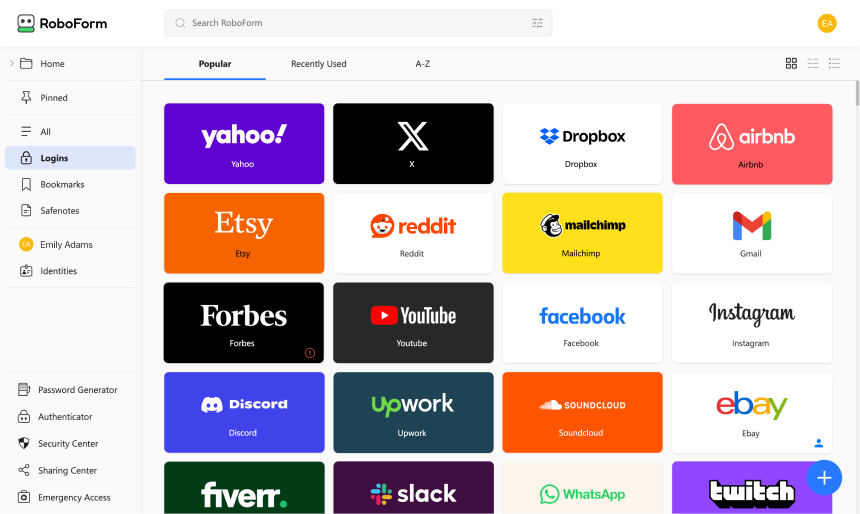
RoboForm stores login details and helps fill them into websites. It also generates passwords and fills online forms. Its paid Premium plan supports access across multiple devices.
For someone juggling personal accounts and the everyday demands of running a business, a password manager addresses a practical problem: keeping track of different logins without relying entirely on memory.
What twenty years can—and cannot—tell you
My long experience with RoboForm is why I’m interested in sharing it with other people.
But years of use aren’t a laboratory security test. I can describe my experience and explain why I’ve stayed with it; I can’t honestly declare it the world’s safest password manager.
That distinction matters. A useful recommendation should help someone make a decision, without promising more than the evidence supports.
Is it expensive?
RoboForm currently lists Premium at a standard annual price of $29.88. Its Family plan covers up to five accounts and renews at $47.75 a year. New-customer promotions may reduce the first-year price.
Check the current plans, prices, and renewal terms on RoboForm’s website before buying. An introductory discount and the ongoing subscription cost may differ.
Would I consider it again?
Yes. After more than 20 years, RoboForm is a product I know and trust from personal use.
If you’re considering a password manager, look at how it works on your own phone and computer. Try the everyday tasks you’ll actually need, and choose something you’re comfortable continuing to use.
For me, RoboForm has earned that place over time.
Editorial note: This article combines Ty’s account of his personal experience with product information from RoboForm’s official website. It is not an independent security audit or a hands-on comparison with other password managers. This version contains no affiliate links.